
Small Cell Survey Software
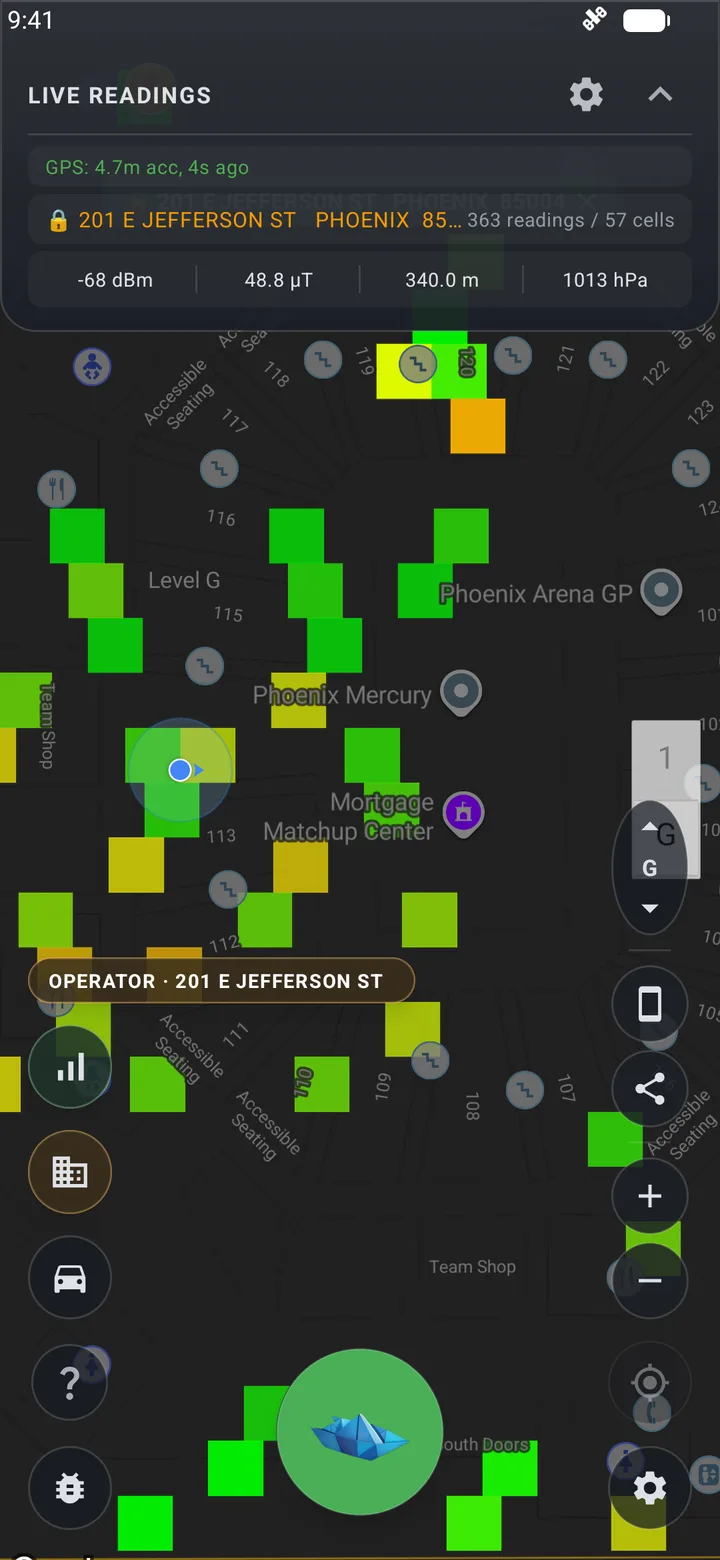
Baseline a site before a small cell goes in, then prove where it actually serves. The free Cell Surveys app for Android logs every serving and neighbor cell a phone can hear, with PCI, cell ID, and signal quality, at every GPS point.
What a Small Cell Survey Has to Answer
A small cell is justified by one survey and proven by a second. Both come down to a handful of questions.
- Where is macro coverage weak, and where is it strong but congested? Low RSRP points to a coverage gap; low SINR at a decent RSRP points to interference or load.
- Which macro cells dominate the target area, by PCI, so you know what the new node will be competing with.
- What the area looks like at street and sidewalk level, where the users are, instead of along a drive route.
- Is the new node actually serving? Its PCI and cell ID appearing as the serving cell is the direct answer.
- How far does its footprint reach before the macro takes the phone back?
- Did SINR improve at the footprint edge, or did the new node create an interference zone with the macro?
What the App Records
On Android, with no external hardware. A dual-SIM phone records both of its carriers at once.
Every reading
- Serving cell RSRP, RSRQ, and SINR
- PCI and cell ID (ECI for LTE, NCI for 5G NR)
- TAC, MCC and MNC, and network technology
- EARFCN on LTE
- GPS position and altitude with a timestamp
- Barometric pressure and floor
Also at walking pace
- Neighbor cells as well as the serving cell, across 5G NR, LTE, WCDMA, and GSM
- NR-ARFCN, UARFCN, and ARFCN alongside EARFCN
- 5G NR SS-RSRP, SS-RSRQ, and SS-SINR
- Timing advance, CQI, and LTE channel bandwidth
- GPS accuracy, speed, and bearing
On iPhone: iOS does not let apps read PCI, cell ID, or measured signal levels, so the iOS app records carrier and network technology rather than cell-level data. Use an Android phone for small cell work.
Running a Verification Survey
The same four steps work for a single node or a cluster.
- 1
Walk the target area before activation
At walking pace the app records every cell the phone can hear, not just the one it is attached to. Driving between sites switches it to serving-cell logging on its own, so there is nothing to toggle.
- 2
Get the new node's PCI
Your integrator or the carrier's commissioning sheet will have it. It is the key you filter on afterwards.
- 3
Walk the same route after it is on air
Same route, similar time of day. A verification pass is only a comparison if the conditions match.
- 4
Export both sessions and filter on the PCI
Rows where the new PCI is the serving cell are its footprint. Rows where it appears only as a neighbor show where it is heard but losing to the macro, which is usually where a tilt or power change would help.
What It Is Not
Worth knowing before you plan a deployment around it.
Not a site-audit tool
There is no pole photography, make-ready, or structural capture. Use it alongside whatever your field team uses for site acquisition.
A phone, not a scanner
It reports what a phone sees on the networks its SIMs belong to. That is the user's view, which is what verification should measure, but a scanner receiver is still the tool for measuring every operator from one device without SIMs.
No in-app before-and-after comparison
The comparison is done on the exported files, or in a custom dashboard if we build one for the project.
Get the App
Free on Google Play and the App Store. See everything the app does, including WiFi, Bluetooth, and magnetic field surveys.


Or Have Us Run It
If you would rather hand off the fieldwork, we run onsite signal surveys with the same app and deliver the results as a custom dashboard with the baseline and verification passes side by side. We are a measurement-only company: we do not design, sell, or install small cells, so the numbers are not written to favor one outcome. For how a small cell compares with the alternatives, see the DAS vs. small cell vs. booster guide.
Small Cell Survey FAQ
What is small cell survey software?
Can it tell which small cell is serving the phone?
Does it work on iPhone?
Can one phone measure more than one carrier?
What export formats are available?
Planning a Small Cell Deployment?
Tell us about the site and what you need to prove. We'll scope a baseline and verification survey.